Identify the storage behind the warning
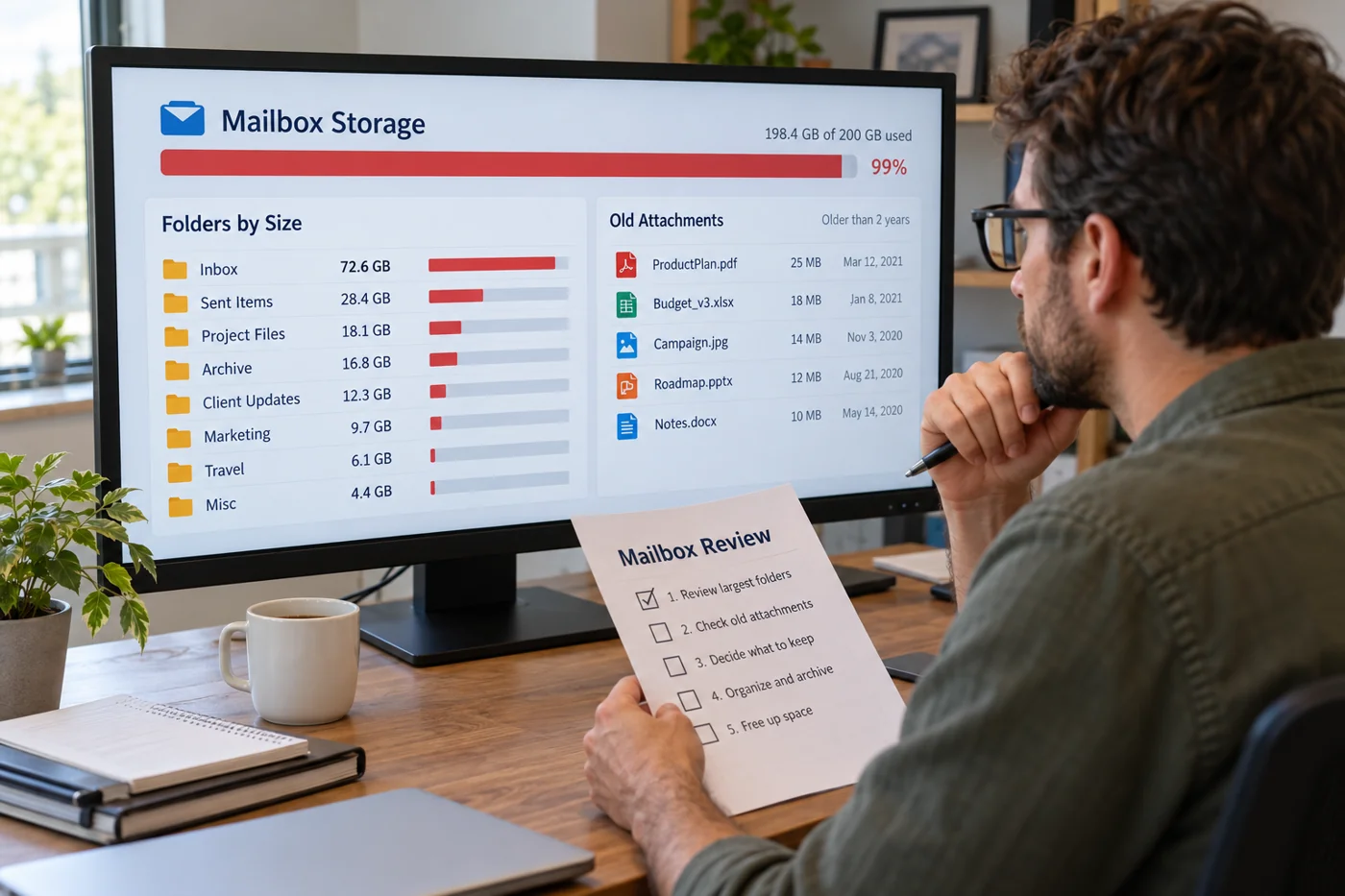
Check whether the notice concerns the provider's mailbox, a local data file or storage shared across an account. Those cases need different actions. Record the displayed amount and affected account name. Free space on the workstation does not contradict a warning about storage at the mail service.
Read the provider's current guidance for the relevant limit. Microsoft describes ways to inspect folder and large-message sizes in supported Outlook versions. Use the feature appropriate to your version instead of changing settings from an unrelated screenshot. This first step is about understanding the situation, not deleting anything.
Assess large collections by their purpose
Inspect areas using substantial space and distinguish working records, routine information and copies clearly no longer needed. Large sent attachments may matter as much as the inbox. Review several examples before treating an entire group alike. Age alone does not establish the business value of a message.
Ask the responsible person which retention and filing procedures apply. This article does not set deletion periods. If a message concerns an active assignment, do not remove its context or required attachments through an improvised storage clean-up. Mark uncertain cases and decide them separately rather than assuming every old item is expendable.
Understand where archiving actually goes
Establish where the offered archive function moves content. Another folder within the same mailbox differs from a separate designated archive store. The label alone does not tell you whether usage against the affected limit falls. Read the service's description and inspect the measurement after a controlled trial.
If content will live outside the mailbox, clarify access, backup and later retrieval. A file on one computer may be unavailable to a colleague covering absence. Moving material solves the task only when required information can still be found and opened at the agreed location. Test that retrieval before extending the approach to a large collection.
Keep attachments with the context they need
A saved attachment is not automatically a complete substitute for its message. The covering text, sender, date and subsequent correction may matter. Decide which information needs to remain together. Open the saved file before considering any alteration to the original message.
For repeatedly circulated versions, the newest filename is not necessarily the approved edition. Confirm the authoritative version with the relevant team. Hasty duplicate removal can conflate different states. Work on a small, traceable selection and record the decision, including who established which copy should be retained.
Make controlled changes
Start with a group whose treatment has been clearly agreed. Check the outcome and storage measurement before touching further collections. Notice whether deleted items initially remain in another folder. Do not empty that folder automatically without understanding its contents and the available recovery arrangements.
Record the group changed and where preserved material now lives. If an action has no visible effect on the relevant limit, investigate why. Do not simply repeat larger deletion operations. You may be examining the wrong storage, or the displayed figure may update only after a particular processing step. Confirm the behavior with the service rather than guessing.
Address why the problem returns
After relieving the immediate pressure, review the processes producing large collections. Perhaps many draft versions of the same documents are repeatedly sent to a wide group. A suitable shared location may fit future collaboration, provided access and version status are clearly managed.
Agree a later review of storage growth and name its owner. One clean-up does not establish that the mailbox will remain sufficient indefinitely. A useful completion note identifies the storage examined, actions taken and content decisions still outstanding. The next review can then start from evidence instead of another urgent round of unexplained deletion. Keep the agreed filing approach available to anyone who handles the same mailbox.